User Guide
Price Administration
Overview
The LedgerScan application has two areas for Price Administration:
- Priced Items & Pairs
- Price Sources
Info
Pricing Pairs depend on the presence of price sources.
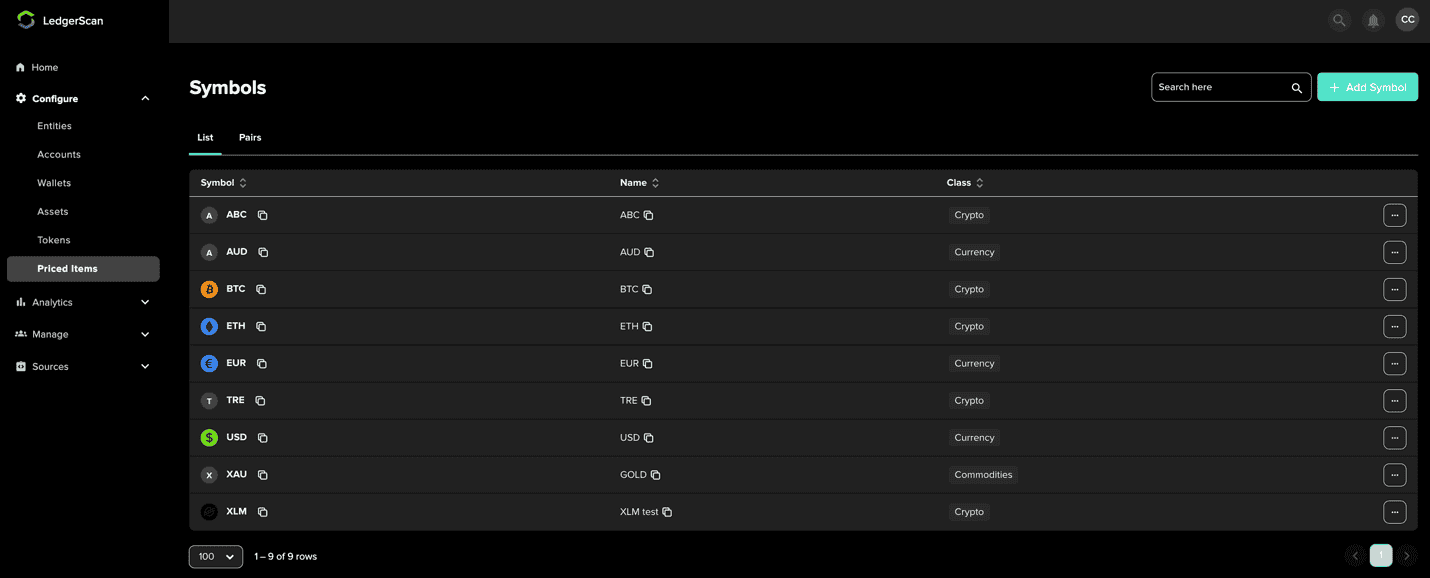
The list in the above image is the priced items, also referred to as price symbols, which you will use in the process of establishing price pairs: after adding a symbol, you create a pricing pair that can use the symbol.
First, the user will add the symbol. Then subsequently create a pricing pair whereby this symbol could be used.
When adding the symbol, specify:
- Class of the item (Currency, Crypto, Equity, Options, Funds, etc. )Item name (typically three characters)
Info
It is important to DTCC that customers have the flexibility to configure their own combination of pricing pairs to link to tokens.
Pricing Pairs
After creating the priced items/symbol, create a pricing pair from the Pairs tab from the Priced Items screen.
Pricing pairs are structured as [base priced symbol]/[priced as]. A price will be a ratio of these two items. For example:
- To express the price for BTC in USD, set BTC/USD as the price pair.
- To price BTC in Euro, set BTC/EUR as the price pair.
- You can also price one asset in another assets value such as BTC in ETH with a pair of BTC/ETH.
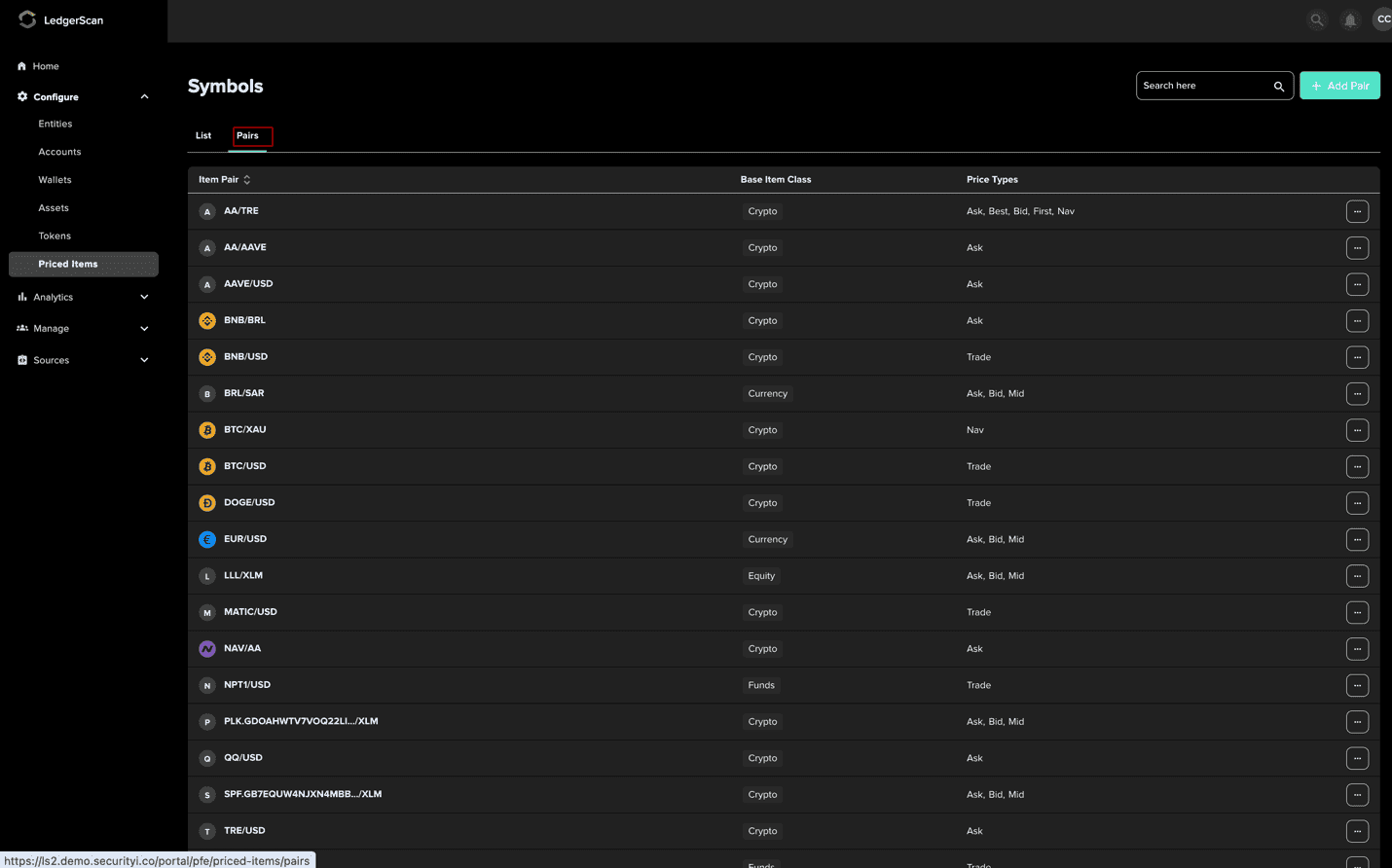
Adding a Price Pair
- 1
Press 'Add Pair' from the top of the screen
- 2
Select the parameters of the pair from the drop-down lists on the dialog that appears

Based Price Item: the token you want to be priced
Priced In: Unit of measurement to use for the price
- 3
Press Next
- 4
Select one or more price types and their respective pricing sources from the dialog that appears

- Ask: refers to the lowest price a seller will accept for a token
- Bid: refers to the highest price a buyer will accept for a token
- Mid: refers to the median of bid and ask price
- Trade: price based on which the last transaction was executed
- NAV (Net Asset Value): is equal to a fund’s or company’s total assets less its liabilities.
Note: When selecting a price type, the list of pricing providers that support this price type will be listed for your selection.
- 5
Review the request and click 'Add Pricing Pair'

Linking a Price Pair to a Token
After successfully creating a price pair, you can link your token on the Tokens > Summary page. After locating the token, click the three dots to the right of the row, select 'Pair with Priced Item'.
Contact our sales team for more information
View answers to the most common questions about our platforms and services