User Guide
Tracking Tokens
This section describes how to use the LedgerScan UI to add tokens to be tracked, view a summary of all tracked tokens and to view the details of individual tracked tokens.
Summary of Tracked Tokens
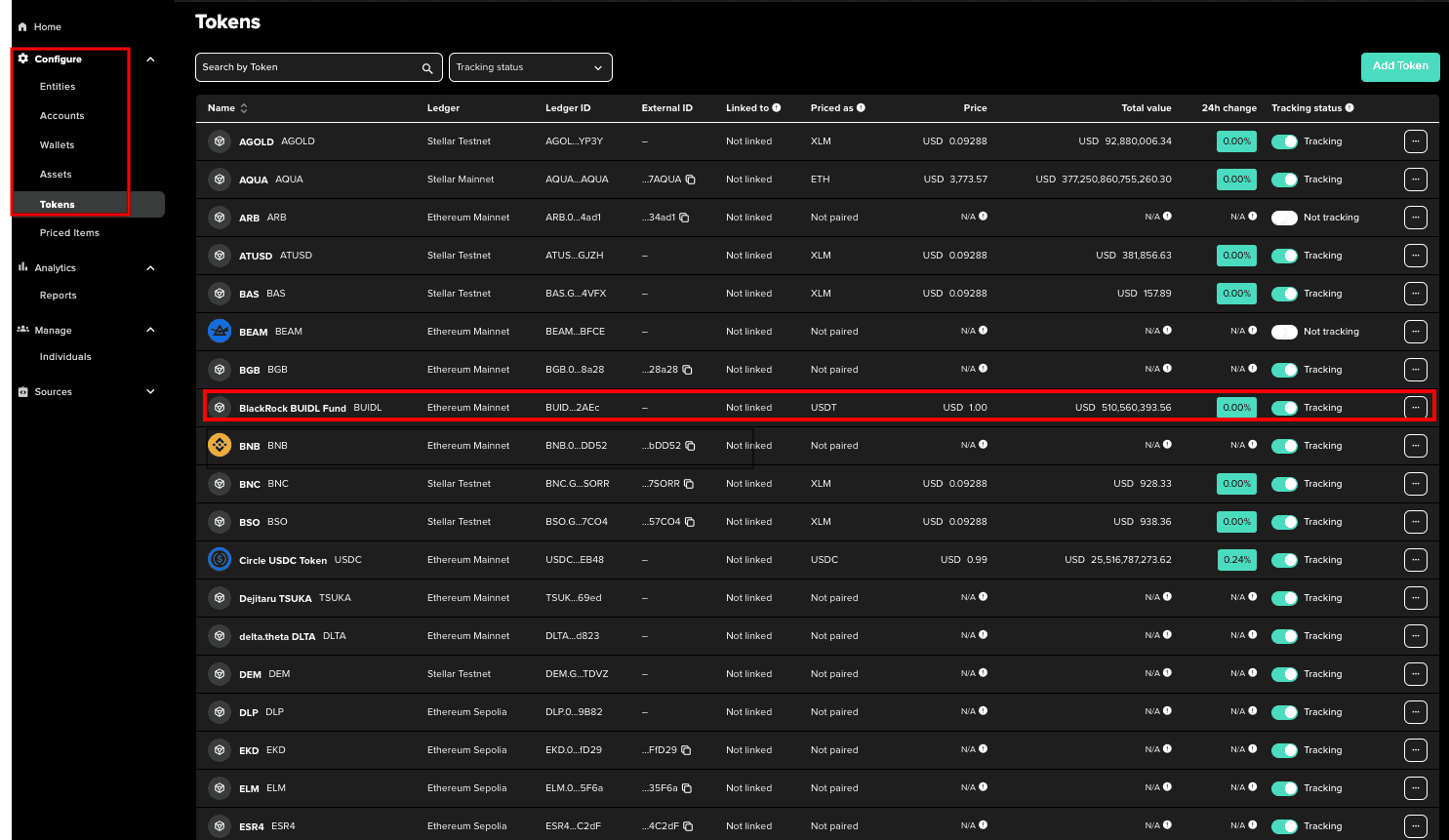
Select Tokens from the Configure section of the navigation menu to open a summary of all configured tokens.
Each row provides a summary of data associated with the tracked tokens.
| Property | Definition |
|---|---|
| Name | Discretionary name provided when the token is added |
| Symbol | Token's Symbol |
| Ledger | Ledger in which the token resides |
| Priced as | The price symbol used for the asset being priced |
| Price | The price of a token, expressed as a ratio of Priced As / Priced In. For example; BTC/USD is the Bitcoin asset price |
| Total Value | The market cap of the token, calculated by Total Tokens x Price |
| 24hr Change | The change inthe token’s value 24 hours before the data was requested. |
| Tracking Status | Toggle for administrators to enable or disable tracking of a token |